

Free transfers to any @username
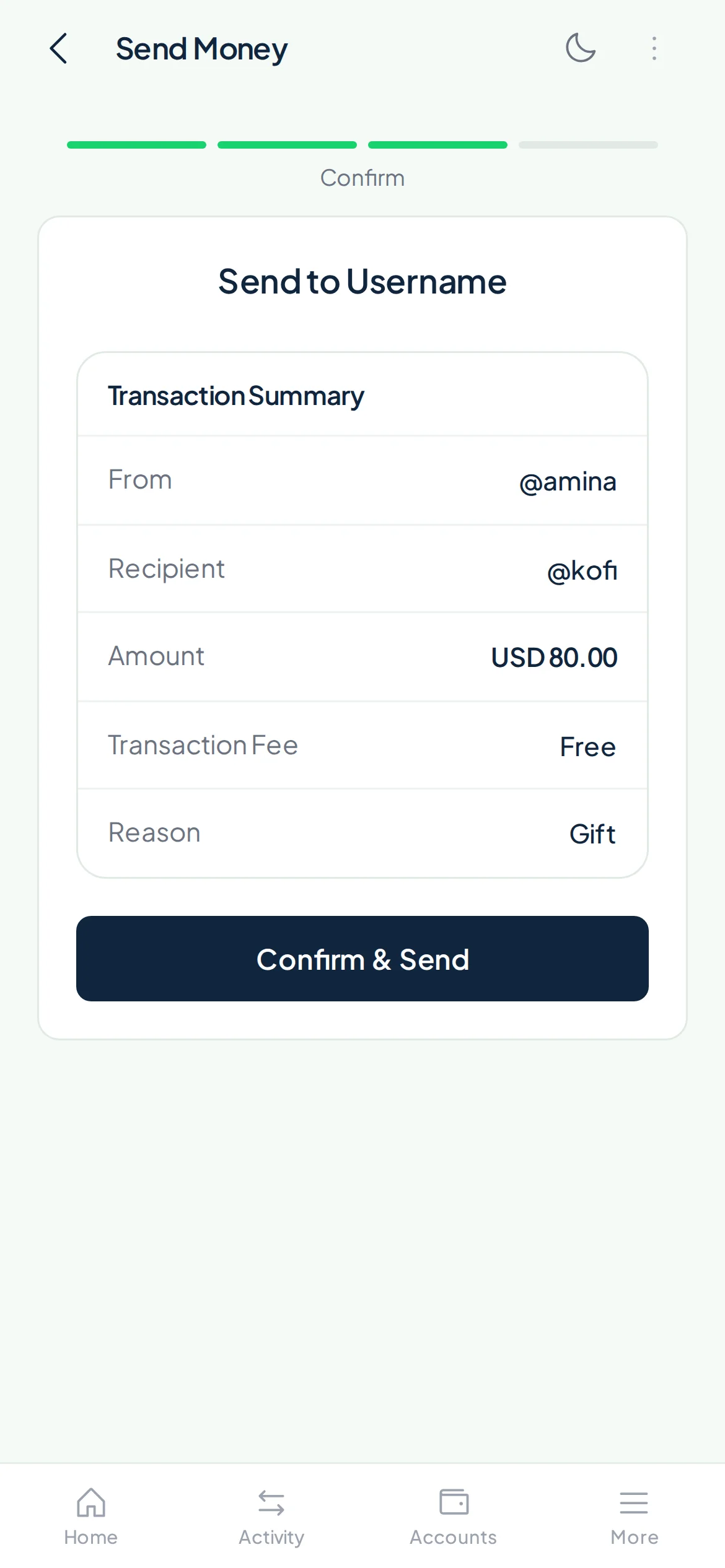
Every Payd account has a username. Type it in, enter the amount and confirm. It goes straight to their Payd balance, and it costs nothing.
All you need is their username, and there is no fee.
How it works
- 1
Ask for their username
It's on their profile and on their main wallet in the app.
- 2
Enter the amount and a note
Add what it's for, so you both remember.
- 3
Confirm with your PIN
The money is in their Payd balance.
Why people pay by username
Free, every time
Transfers between Payd accounts have no fee.
Nothing to look up
No account numbers or bank names. Just @username.
Across borders
Pay a Payd user in another country the same way.
Split and pay back
Settle rent, trips and shared costs with friends.
Get paid by sharing yours
Put your @username on your invoices, profile or bio.
A record of every transfer
Both of you see it in your activity with the note.
What it costs
- Sending to a Payd username
- Free
- Receiving from a Payd username
- Free
Withdrawing to mobile money or a bank has its own fee, shown before you confirm.
Questions
Is it really free?
Where do I find my username?
Can I pay someone by email or phone number?
What if I send to the wrong username?
Get your Payd username
Create a free account and share your @username to get paid.